

Short answer: to optimize your Google Business Profile, verify it, choose the most accurate primary category, complete every section, add real photos, keep your details consistent everywhere, post updates regularly and earn and reply to genuine reviews. A complete, active profile is more likely to appear in Google Maps and the local pack.
For local businesses, the Google Business Profile is often more important than the website itself. It is what people see when they search for your business name, look for a service “near me” or open Google Maps. It shows your rating, reviews, photos, opening hours and a call button, all before anyone visits your site. This guide walks through every part of the profile and how to optimize it.
Why your Google Business Profile matters
When someone in Jaipur searches for a service, Google often shows a map with three businesses. These businesses receive a large share of calls, direction requests and website visits. Your profile is also the first impression for people who already know your name and search for it directly. An incomplete or outdated profile can quietly send customers to a competitor.
Step 1: Claim and verify your profile
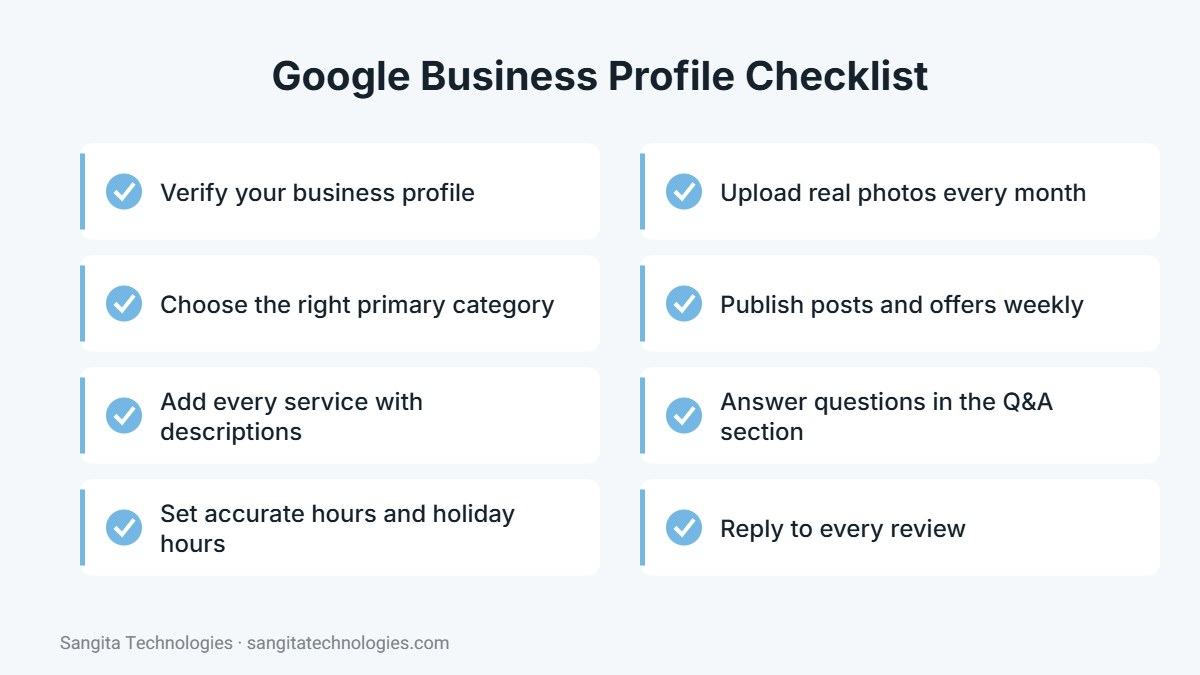
Search for your business on Google. If a profile exists, claim it; if not, create one at business.google.com. Google will ask you to verify that you own the business, usually through a video, phone call, SMS or postcard. Verification is essential, because unverified profiles rarely rank well and you cannot manage reviews or posts without it.
Step 2: Choose the right categories
Your primary category has one of the strongest effects on which searches you appear for. Choose the most specific option that describes your main service, such as “Internet marketing service” rather than a broad category. Then add a few secondary categories for other important services. Avoid adding categories that do not truly match your business.
Step 3: Complete every section
- Business name: use your real business name exactly as it appears on your signboard and documents, without adding keywords.
- Address or service area: show your address if customers visit you, or list service areas if you visit customers.
- Phone and website: use a number that is answered during business hours and link to the most relevant page.
- Hours: keep regular hours accurate and add special hours for festivals and holidays.
- Services and products: list each service with a short description in plain language.
- Description: explain what you do, who you serve and what makes you different, in up to 750 characters.
- Attributes: add relevant attributes such as online appointments or wheelchair accessibility.
Step 4: Add real photos regularly
Photos help customers understand your business and build trust. Upload a clear logo, a cover photo, pictures of your office or shop from outside and inside, your team at work and examples of completed projects or products. Avoid stock images. Adding a few new photos every month keeps the profile fresh and shows Google that the business is active.
Step 5: Keep your details consistent
Your name, address and phone number should match exactly across your website, Google profile, Justdial, IndiaMART, Facebook and other directories. Inconsistent details confuse both customers and search engines and can weaken your local rankings.
Step 6: Earn and reply to reviews
Reviews influence both rankings and decisions. Ask satisfied customers for a review soon after a good experience, and share the direct review link on WhatsApp to make it easy. Reply to every review in a polite, professional tone, including negative ones, and offer to resolve problems offline. Never buy reviews or offer rewards for ratings, as this breaks Google’s policies.
Step 7: Publish posts and offers
Google Business Profile posts let you share news, offers, events and recent work. Posting once a week keeps your profile active and gives customers more reasons to contact you. Use a clear image, a short message and a call-to-action button such as “Call now” or “Learn more”.
Step 8: Use the Q&A section
Anyone can ask questions on your profile, and anyone can answer them. Monitor this section and reply quickly with accurate information. You can also add common questions yourself and answer them, which helps customers and prevents incorrect answers from others.
Mistakes that can hurt your profile
- Adding keywords or city names to your business name.
- Using a virtual office or an address where you do not operate.
- Creating duplicate profiles for the same location.
- Letting hours, phone numbers or websites go out of date.
- Ignoring reviews and customer questions.
How to measure results
The performance section of your profile shows how many people found you through search and Maps, how many called, requested directions, visited your website or sent messages. Review these numbers every month and compare them with your enquiries to see how much business the profile brings in.
Google Business Profile tips for Jaipur businesses
Jaipur is a large, competitive city, and customers often search by area as well as by city. A few local habits can make your profile stand out.
- Mention your area naturally: in your business description, mention the part of Jaipur you are in and nearby landmarks customers recognise, without stuffing keywords.
- Update for festivals: set special hours for Diwali, Holi and other holidays so customers are not disappointed by a closed door.
- Post seasonal offers: wedding season, festival sales and back-to-school periods are good times for timely posts.
- Answer in the customer’s language: if customers write reviews or questions in Hindi, a short reply in Hindi can feel more personal.
- Add products or services with photos: visual listings help people understand exactly what you offer before they call.
How your website supports your profile
Your Google Business Profile and website work best together. Link your profile to the most relevant page, make sure your website shows the same name, address and phone number, add a Google Map on your contact page and include LocalBusiness schema markup. When Google sees consistent information across your profile, website and directories, it gains confidence in your business, which supports stronger local rankings.
It also helps to create pages on your website for your main services and, if you serve several areas, for those areas too. These pages give Google more context about what you do and where, and they give customers more reasons to contact you after finding your profile.
Conclusion
A well-optimized Google Business Profile is one of the most cost-effective ways for a local business to win customers. Complete every section, keep it updated, add photos, post regularly and look after your reviews. Small, consistent efforts add up to more calls and visits over time.
Need help setting up or managing your profile? Sangita Technologies offers local SEO services in Jaipur. Call +91 97855 41763 to get started.

Written by the Sangita Technologies team
Sangita Technologies is a digital marketing and web development agency in Jaipur, Rajasthan. Our team works hands-on with local and national businesses on SEO, local SEO, Google Ads, social media marketing, content writing, WordPress and e-commerce development, and shares practical lessons from that work on this blog.
Related services from Sangita Technologies
Sources and further reading
Frequently Asked Questions
Is Google Business Profile free?
Yes. Creating and managing a Google Business Profile is free. You only pay if you choose to run Google Ads alongside it.
How often should I update my Google Business Profile?
Check it at least once a month, add new photos regularly and publish a post around once a week. Update hours immediately when they change.
Why is my business not showing on Google Maps?
Common reasons include an unverified profile, the wrong category, incomplete information, a suspended profile or strong competition nearby. Review each section and make sure your profile follows Google guidelines.