

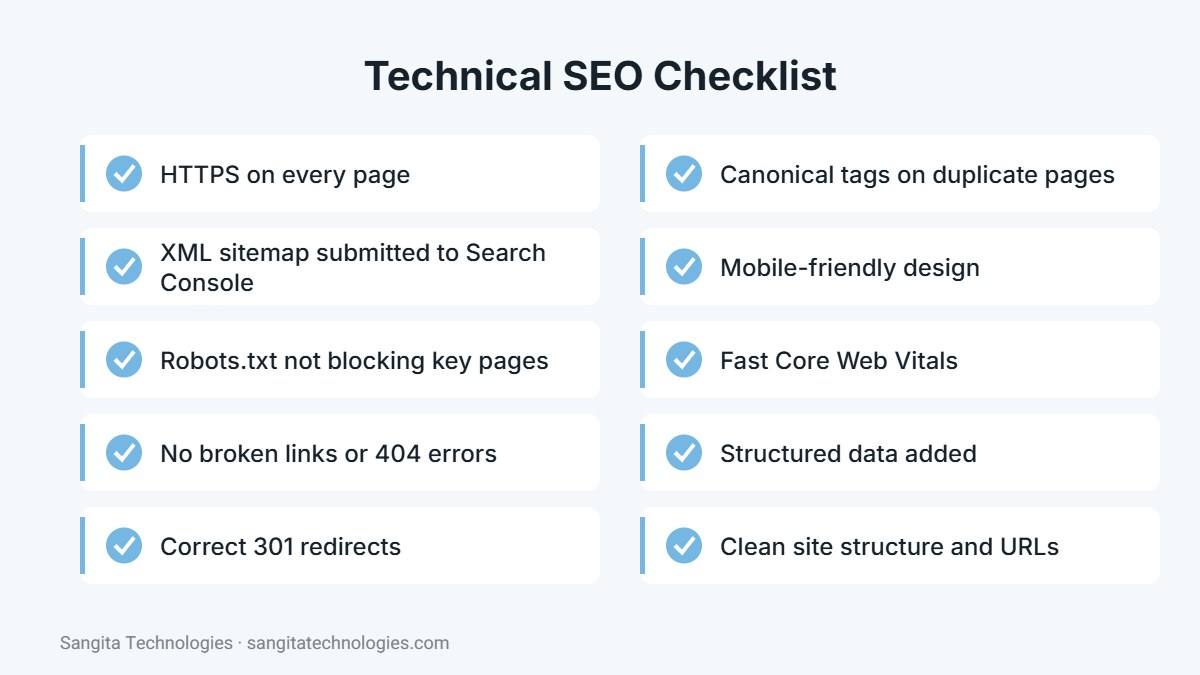
Short answer: technical SEO is the process of improving your website’s infrastructure so search engines can easily crawl, render, index and understand it. It covers site speed, mobile-friendliness, HTTPS, XML sitemaps, robots.txt, redirects, broken links, duplicate content, canonical tags, site structure and structured data.
You can write the best content in your industry, but if search engines cannot access or understand your pages, that content will struggle to rank. Technical SEO removes these barriers. It is often invisible to visitors, yet it forms the foundation that all other SEO work depends on. This beginner-friendly guide explains the main areas of technical SEO and how to check them on your own website.
How search engines process your website
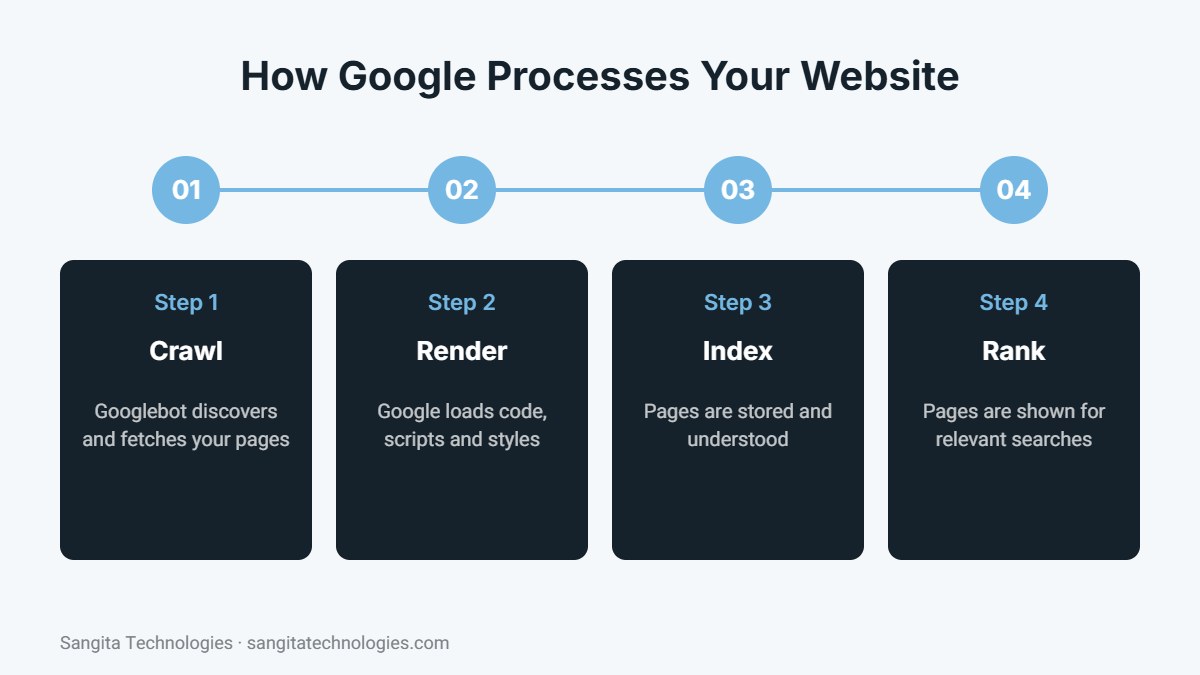
Before a page can appear in search results, Google must discover it, fetch its code, render it like a browser, store it in its index and then decide where to rank it. Technical problems at any stage can prevent pages from ranking or cause the wrong pages to appear.
1. Crawlability
Crawlability is how easily search engine bots can find and access your pages. Pages are discovered through links and sitemaps. Problems include pages with no internal links pointing to them, links that lead to errors and important sections blocked by mistake.
Robots.txt
The robots.txt file tells crawlers which parts of your site they may access. A single wrong line can block your whole website from Google. Check that it only blocks areas that should stay private, such as admin folders, and that it includes a link to your sitemap.
XML sitemap
An XML sitemap lists the pages you want search engines to index. Submit it in Google Search Console and make sure it only contains live, indexable pages, not redirects, errors or thin test pages.
2. Indexing
Being crawled does not guarantee being indexed. Google may skip pages that are duplicates, low quality or marked with a noindex tag. Use the Pages report in Google Search Console to see which pages are indexed and why others are excluded.
Noindex and canonical tags
A noindex tag tells search engines not to include a page in results, which is useful for thank-you pages, admin templates or internal search results. A canonical tag tells Google which version of similar pages is the main one, preventing duplicate content issues.
3. Site structure and URLs
A clear structure helps both users and search engines. Important pages should be reachable within a few clicks from the homepage, grouped logically, for example services under a services section. Use short, descriptive URLs with hyphens and avoid long parameters.
4. HTTPS and security
Every page should load securely over HTTPS with a valid SSL certificate. Mixed content, where some images or scripts load over HTTP, should be fixed. Security headers such as HSTS add an extra layer of protection.
5. Redirects and broken links
When you move or delete a page, use a 301 redirect to send visitors and search engines to the most relevant new page. Avoid long chains of redirects. Regularly check for broken internal links and 404 errors, which waste crawl budget and frustrate users.
6. Mobile-friendliness
Google uses the mobile version of your website for indexing and ranking. Make sure text is readable without zooming, buttons are easy to tap, content is not hidden on mobile and the layout adapts to every screen size.
7. Page speed and Core Web Vitals
Fast pages provide a better experience and are favoured by Google’s page experience signals. Optimize images, enable caching, minify code and reduce heavy scripts. Monitor Core Web Vitals in Search Console.
8. Structured data
Structured data, or schema markup, describes your content in a format search engines understand, such as your business details, services, products, articles and FAQs. It can enable rich results and helps AI tools understand your content.
Tools for technical SEO
- Google Search Console: indexing, sitemaps, Core Web Vitals, mobile usability and manual actions.
- Google PageSpeed Insights: speed and Core Web Vitals for individual pages.
- Site audit tools: crawlers such as Semrush Site Audit or Screaming Frog find broken links, missing tags and duplicate content.
- Rich Results Test: checks whether your structured data is valid.
Common technical SEO problems on small business sites
- Default WordPress pages such as “Sample Page” left live and indexed.
- Theme templates and test pages appearing in the sitemap.
- Missing or duplicate title tags and meta descriptions.
- Pages without an H1 heading or with several H1s.
- Large, uncompressed images slowing down every page.
- Old URLs returning 404 errors after a redesign.
How often to run a technical SEO check
Review Google Search Console at least monthly and run a full technical audit every few months, as well as after a redesign, migration or major plugin change. Catching problems early prevents traffic losses.
Technical SEO for WordPress websites
WordPress handles many technical SEO basics well, but a few settings are often missed.
- Use an SEO plugin: tools such as Yoast SEO manage sitemaps, canonical tags, meta tags and schema.
- Clean up defaults: delete the default “Sample Page” and “Hello world” post, and make sure theme templates are not indexable.
- Control archives: author, tag and date archives can create thin duplicate pages on small sites; noindex them if they add no value.
- Set permalinks: use the “Post name” permalink structure for clean URLs.
- Enable caching and minification: use a caching plugin supported by your hosting.
- Keep plugins lean: fewer, well-maintained plugins mean fewer conflicts and faster pages.
Technical SEO and AI search
AI search tools also depend on being able to crawl and understand your website. Make sure robots.txt does not block the search and AI crawlers you want to be visible to, keep your structured data accurate and consider adding an llms.txt file that highlights your most important pages. Good technical foundations help both traditional search engines and AI answer engines represent your business correctly.
Conclusion
Technical SEO makes sure search engines can reach, understand and trust your website. It may not be glamorous, but it multiplies the value of your content and link-building efforts. Start with Search Console, fix crawling and indexing issues first, then work on speed, structure and schema.
Want a full technical SEO audit of your website? Call Sangita Technologies on +91 97855 41763.

Written by the Sangita Technologies team
Sangita Technologies is a digital marketing and web development agency in Jaipur, Rajasthan. Our team works hands-on with local and national businesses on SEO, local SEO, Google Ads, social media marketing, content writing, WordPress and e-commerce development, and shares practical lessons from that work on this blog.
Related services from Sangita Technologies
Sources and further reading
- Google Search Central: Introduction to robots.txt
- Google Search Central: Sitemaps overview
- Google Search Central: Introduction to structured data
- web.dev: Web Vitals
Frequently Asked Questions
Is technical SEO a one-time task?
No. Websites change constantly as pages, plugins and content are added. Regular checks catch new issues before they affect rankings.
Can I do technical SEO myself?
You can handle basics such as submitting a sitemap and fixing broken links. Complex issues like redirects, JavaScript rendering and schema are best handled by an experienced developer or SEO specialist.
What is the most important technical SEO factor?
Making sure your important pages can be crawled and indexed. If Google cannot index a page, nothing else about it matters for search.